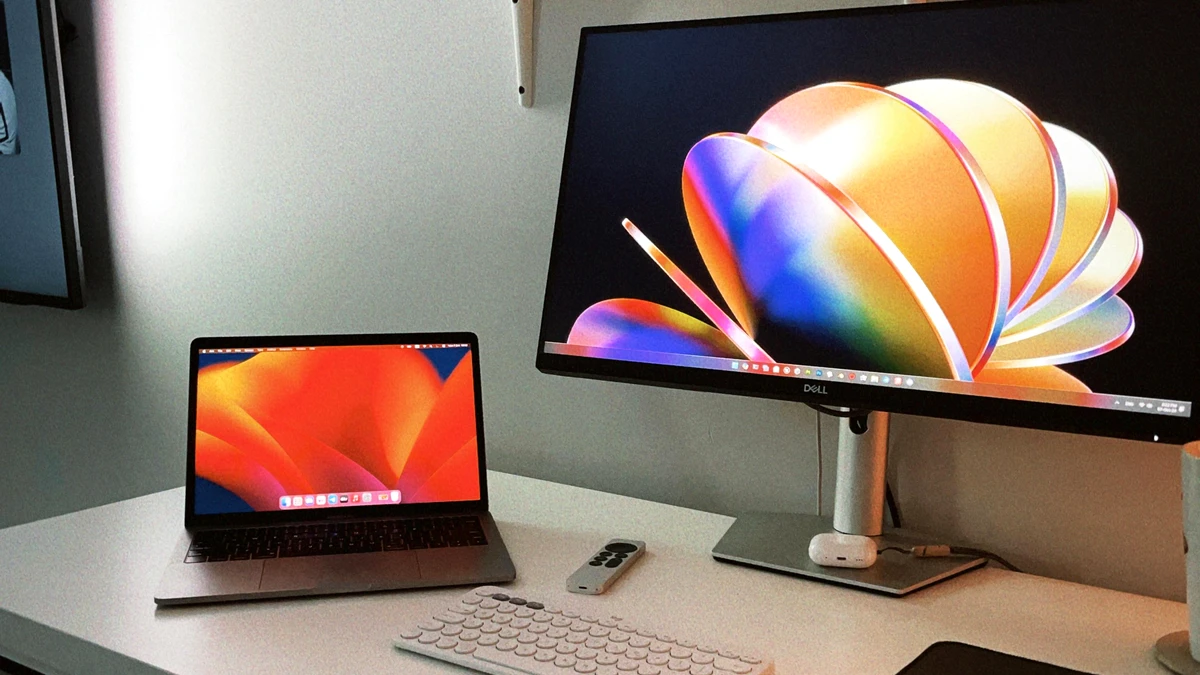
Portable monitors have transformed from niche novelty items into genuinely practical tools for professionals, content creators, and everyday tech users. Whether you’re working remotely, traveling frequently, or simply need extra screen real estate, a portable monitor can dramatically boost your productivity without adding much weight to your bag. In 2025, the market has matured significantly, offering compelling options at various price points and with different features tailored to specific needs. This guide will help you understand what makes portable monitors valuable and what to look for when choosing one.
Why Portable Monitors Have Become Essential in 2025
The shift toward flexible work arrangements has fundamentally changed how people think about computing setup. Remote workers, digital nomads, and business travelers now expect their workspace to be wherever they are, not confined to a desk at home or office. Traditional laptops provide processing power and portability, but their screen size—typically 13 to 17 inches—remains a limitation when multitasking or working for extended periods.
Portable monitors fill this gap perfectly. They connect via USB-C, HDMI, or wireless connections to your laptop, tablet, or smartphone, effectively doubling or tripling your screen real estate without requiring a permanent installation. Unlike your main monitor at home, these devices weigh between 1 and 3 pounds and fit inside a laptop bag or backpack, making them genuinely portable.
The technology has also improved dramatically. Manufacturers have addressed previous pain points like color accuracy, refresh rates, brightness, and connectivity options. Modern portable monitors now offer features that would have seemed premium just three years ago, at competitive prices.
Different Types of Portable Monitors for Different Needs
Understanding the different categories helps narrow your search based on your actual use case.
Ultra-Portable Models (Under 2 lbs) These are the lightest options, designed for maximum portability. They typically range from 13 to 15 inches and prioritize weight savings over features. They’re perfect for business travelers who already carry a laptop and simply need occasional screen expansion. The trade-off is that they might have lower refresh rates or brightness levels compared to heavier models.
Full-Featured Portable Monitors (2-3 lbs) This is the sweet spot for most users. These monitors offer a good balance of size, weight, build quality, and features. You get responsive performance, decent brightness, and often support for both USB-C and HDMI connectivity. Many include built-in speakers and adjustable stands.
Touch-Screen Portable Monitors Adding touch functionality increases weight and cost but opens up new use cases. Designers, digital artists, and educators benefit from touch input, which makes these models valuable for creative professionals despite their higher price point.
Gaming-Focused Portable Monitors If you play games on a portable device like the Steam Deck or Nintendo Switch, or want to connect to a gaming laptop, high refresh rate (120Hz or higher) portable monitors reduce input lag and motion blur. These are heavier than basic models but deliver smoothness that competitive gamers value.
Key Specifications to Understand
Before diving into specific models, it’s crucial to understand the technical specs that actually matter for your use case.
Screen Size and Resolution Portable monitors range from 7-inch to 17-inch displays. Most fall in the 13 to 15.6-inch range—large enough for comfortable work but small enough to remain genuinely portable. Resolution matters for detail: 1080p (1920x1080) is standard for 13-inch models, while 15.6-inch monitors often come in 1440p (2560x1440) or 4K (3840x2160). Higher resolution means sharper text and images, which reduces eye strain during long work sessions.
Panel Type IPS panels offer better color accuracy and viewing angles, making them suitable for content creators. VA panels provide deeper blacks and higher contrast. TN panels are faster (better for gaming) but have narrower viewing angles. For general work, IPS is the most versatile choice.
Brightness Measured in nits, brightness determines how well you can see your screen in bright environments. 300 nits is adequate for indoor use, but 400+ nits is better if you work outdoors or near windows. This specification gets overlooked but significantly impacts real-world usability.
Refresh Rate For everyday work, 60Hz is sufficient. However, 120Hz or 144Hz makes scrolling and cursor movement feel smoother and is essential if you use the monitor with gaming devices. The refresh rate you actually benefit from depends on your source device’s capabilities.
Connectivity USB-C is the most convenient connection method, as it both displays video and charges many laptops simultaneously. HDMI provides compatibility with older devices and desktop computers. Some monitors offer wireless connectivity, though this introduces slight input lag and requires charging the monitor separately.
Color Accuracy This matters primarily for photographers, video editors, and designers. Look for monitors covering 95% of the sRGB color space or higher. Consumer-grade work can live with 85%, but professional color work demands better.
Considerations for Your Specific Use Case
For Remote Workers and Digital Nomads Priority should be weight, portability, and compatibility with your laptop. You want something that connects easily—ideally via USB-C for single-cable simplicity—and doesn’t add bulk to your travel bag. A 1080p resolution is perfectly adequate. Battery life matters if you’re working in transit.
For Content Creators Professional work requires accurate color reproduction and crisp displays. You’ll benefit from higher resolution (1440p minimum), excellent brightness, and IPS panel technology. Touch screen capability becomes valuable if you edit photos or video directly on the monitor.
For Programmers and Software Developers Multiple windows and code editors demand real estate. A larger portable monitor (15.6 inches) in 1440p resolution helps you see more code without squinting. USB-C connectivity matters because you can charge your laptop while using the monitor.
For Business Presentations You need reliable connectivity (HDMI might be safer than USB-C for conference rooms), good brightness to overcome ambient light, and a monitor your audience can actually see. A 15-inch model provides sufficient size without being unwieldy.
For Gaming and Entertainment High refresh rate (120Hz+) makes a real difference in perceived smoothness. You might sacrifice portability slightly for better performance. USB-C connectivity from modern gaming laptops or a dedicated gaming device is essential.
Critical Features That Justify the Cost Premium
Not all portable monitors at the same price point are equal. Certain features make measurable differences in daily use.
Built-In Adjustable Stand Many portable monitors ship with floppy kickstands that barely stay up. Premium models include solid, magnetic stands that position the screen at proper ergonomic angles and actually feel stable. This feature alone affects long-term usability more than you’d expect.
Integrated Speakers Budget models often have tinny, nearly useless speakers. Slightly more expensive options with decent audio speakers allow you to watch videos or join video calls without needing headphones—convenient when you’re hot-desking or moving between spaces.
Dual Connectivity Models supporting both USB-C and HDMI work with more devices. This flexibility matters if you use multiple machines or need to share your setup with colleagues.
Fast Charging Support Some portable monitors support higher-wattage USB-C power delivery, letting them charge your laptop while extending video simultaneously. This single-cable convenience justifies a small price increase.
Protective Carrying Case Included cases protect your investment during travel. A quality case makes the difference between a monitor that lasts for years and one that arrives at your destination with screen damage.
Common Mistakes to Avoid When Buying
Understanding what doesn’t matter helps you avoid overpaying for features you won’t use.
Chasing 4K Resolution Unless you’re a video editor or do detailed design work, 4K adds cost, weight, and heat generation without meaningful benefit for everyday productivity. 1440p delivers sharp text and crisp visuals for general work at better value.
Assuming Higher Refresh Rates Always Help If your source device maxes out at 60Hz, a 144Hz monitor won’t feel smoother. Match the refresh rate to your actual use case. Gaming benefits; email and document editing don’t.
Overlooking Connectivity Limitations A monitor that connects only via proprietary adapters or wireless creates friction in your workflow. Verify compatibility with your actual devices before buying.
Neglecting Brightness Specifications This is easily overlooked in specs, but working on a dim monitor indoors is frustrating. Check nit ratings, especially if you ever work in non-ideal lighting.
Ignoring Thermal Management Portable monitors run hot because their compact design limits cooling options. Read user reviews about temperature; some models get uncomfortably warm during extended use.
Market Trends Shaping Portable Monitors in 2025
The portable monitor space continues evolving. USB-C adoption is nearly universal now, which simplifies setup significantly. Manufacturers are investing in better brightness levels, recognizing that outdoor workers need more than 200-300 nits. Touch screen technology is becoming more affordable, appearing on mid-range models rather than just premium options.
AI-powered features like automatic brightness adjustment and smart color calibration are starting to appear, though you should verify whether these actually improve your experience or feel gimmicky. The addition of built-in docking stations and multiple USB ports on higher-end models creates more versatile multi-device setups.
Wireless connectivity has improved but still introduces noticeable input lag for some users. Wired connections remain the best option for responsive performance, though wireless portability appeals to many.
Making Your Final Decision
Start by defining your primary use case—this eliminates options that don’t match your needs. Then identify your non-negotiable features: weight limit, minimum screen size, required connectivity, and budget ceiling.
Read reviews from users with your same use case. Someone praising a monitor for photo editing may not mention issues that matter for programming or presentations. Look for patterns in user feedback rather than relying on single reviews.
Test connectivity compatibility with your specific devices before committing. A monitor that connects perfectly to your laptop might not work with your tablet or gaming device, which limits its versatility.
Consider your physical workspace. If you frequently work in bright environments, prioritize brightness. If you work in dimly lit coffee shops, you need less brightness but more color accuracy to avoid straining your eyes. Ergonomics matter too—can you comfortably position the monitor at eye level, or will you be looking down at a dark screen all day?
Conclusion: Portable Monitors Worth the Investment
Portable monitors in 2025 represent a mature technology category offering genuine value for their cost. The best portable monitors for your needs depend on your specific situation, not on raw specifications or price. A remote worker needs different features than a game developer or content creator.
The good news is that the market now offers options at every price point, from budget models under $100 to premium units exceeding $500. Even budget portable monitors today offer better build quality and features than expensive ones from five years ago. This commodification means you can find a portable monitor truly worth buying without overspending.
Start with your use case, verify compatibility with your devices, prioritize the features that affect your daily workflow, and read reviews from users in your situation. Following this approach leads to a purchase you’ll actually use, rather than a device gathering dust because it didn’t fit your workflow. Portable monitors have evolved beyond gadgetry into legitimate productivity tools—and choosing the right one can meaningfully improve how you work.
Source checks
- VESA overview of DisplayPort over USB-C: DisplayPort over USB-C.
- HDMI Licensing overview of HDMI specifications and programs: HDMI specifications.
- Apple support on connecting external displays to a Mac: Connect one or more external displays with your Mac.
- Microsoft support on connecting Surface devices to external displays: Connect Surface to an external display.
Related setup decisions
- If you are building a complete call setup, pair this with our webcam buying guide.
- If you need better call audio while traveling, compare wireless earbuds under $100.
- If hotel or home-office calls keep dropping, fix home WiFi performance before replacing every accessory.
- If the monitor is for a streaming or TV setup, read streaming stick vs smart TV.
Frequently asked questions
Is a portable monitor worth it for remote work?
Yes if you often work away from a fixed desk and lose time switching between windows. A portable monitor is most valuable for spreadsheets, research, dashboards, code, presentations, and side-by-side writing.
What size portable monitor should most people buy?
Most people should start with a 15.6-inch portable monitor. It is large enough to be useful beside a laptop but still light enough for a backpack. Go smaller for frequent flights and larger only if you mainly drive or work from hotels.
Do portable monitors need USB-C with DisplayPort Alt Mode?
For single-cable video, yes. The laptop, tablet, or handheld device needs USB-C video output, usually DisplayPort Alt Mode, Thunderbolt, or USB4. A USB-C charging port alone does not guarantee display support.
Is 4K worth it on a portable monitor?
Usually not for general productivity. 1080p is fine for 13- to 15.6-inch portable monitors, while 1440p is a good premium step. 4K makes more sense for photo, video, or design work than everyday travel productivity.
Can a portable monitor charge my laptop?
Some can pass power through, but you need enough USB-C Power Delivery headroom for the monitor and the laptop. Check the monitor's pass-through wattage and your laptop's charging requirement before relying on one cable.